Sorted like your store
Every item lands in its aisle. You just follow the store’s layout.
Family or roommates: everyone adds what they need, everything is sorted by aisle, and no one forgets a thing at the store.
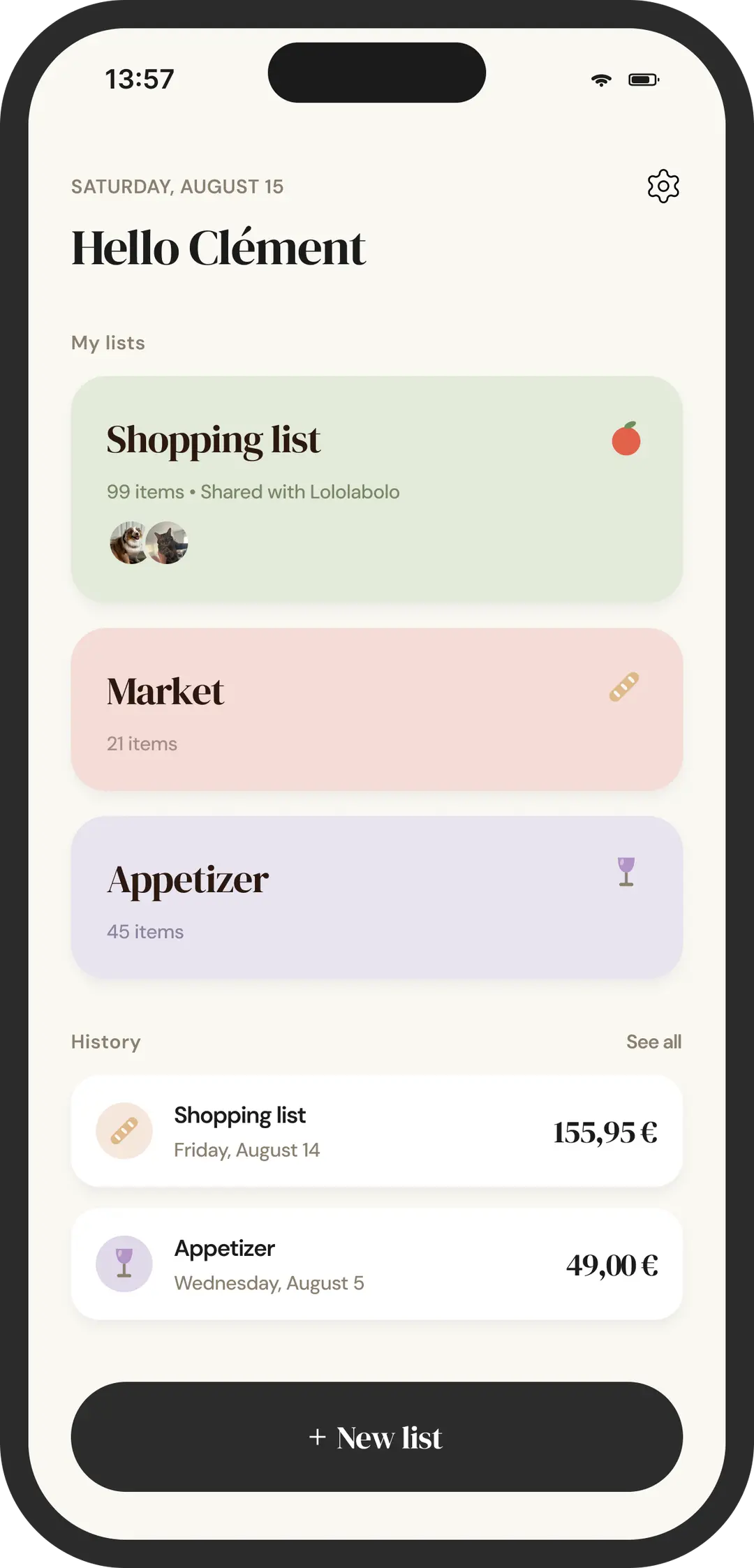
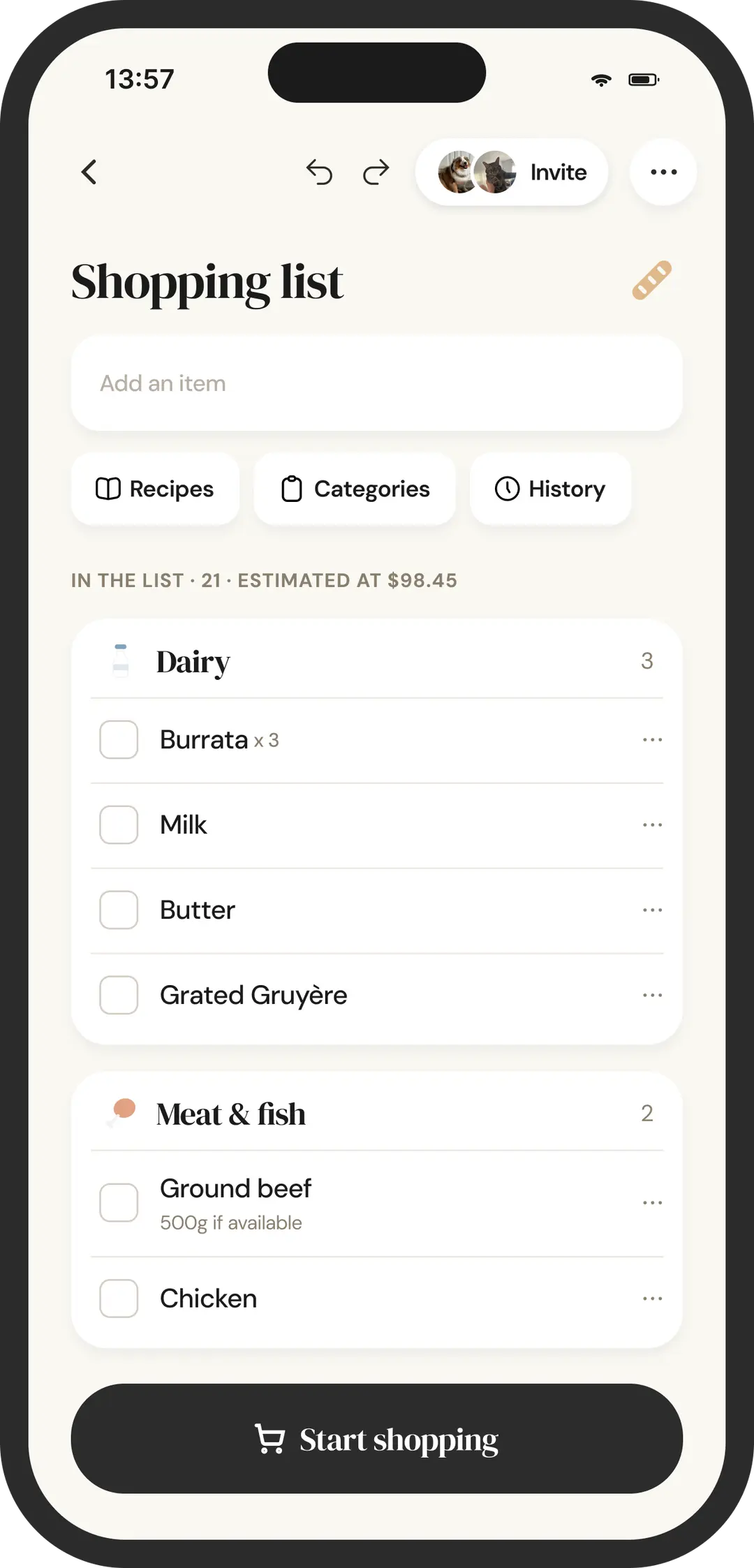
Every item lands in its aisle. You just follow the store’s layout.
Uncheck what you already have, the rest goes on the list.
Enter the amount at checkout, Listeno works out everyone’s share.
Shopping in progress
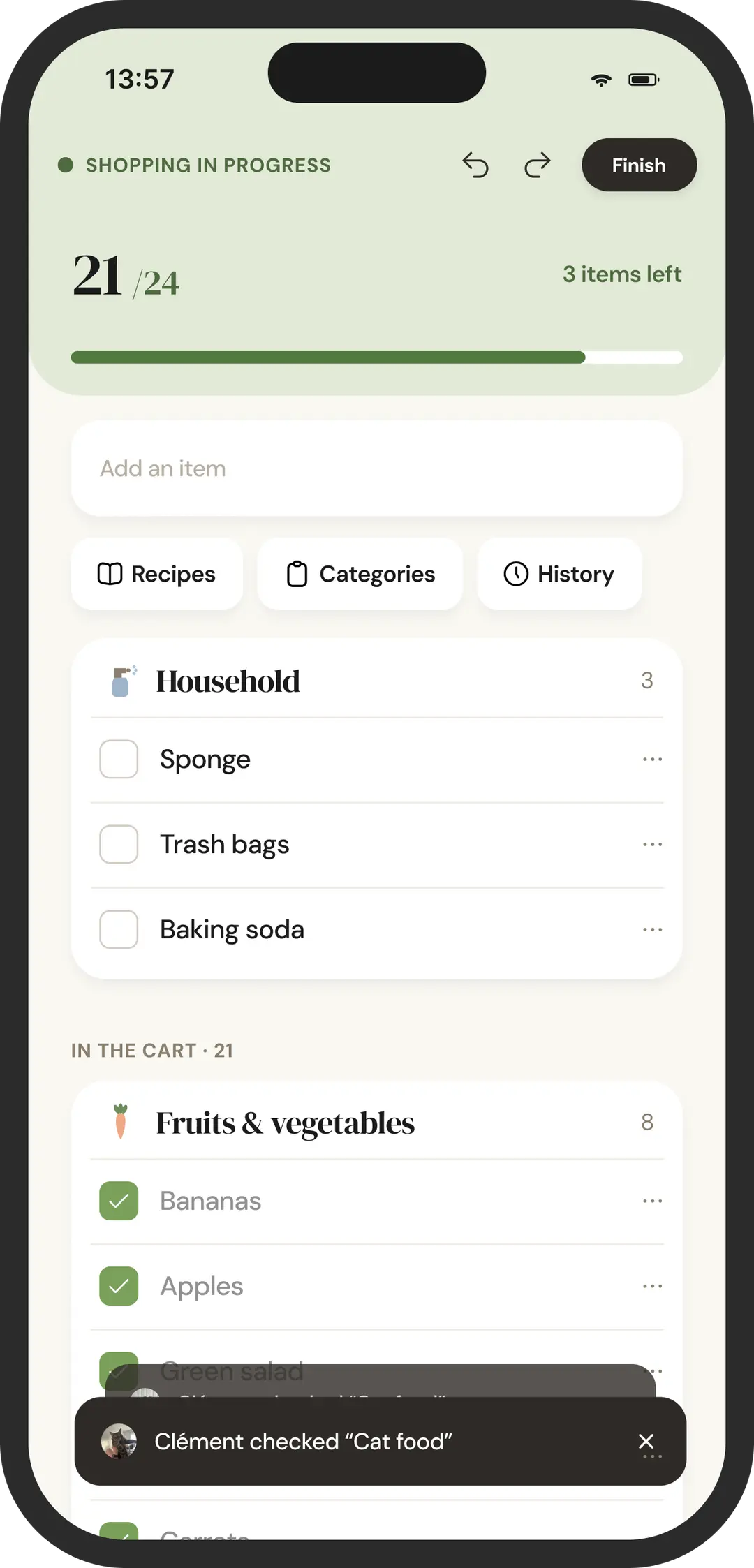
Start shopping and your progress shows up live, on every phone.
21 of 24 items in the cart
Recipes
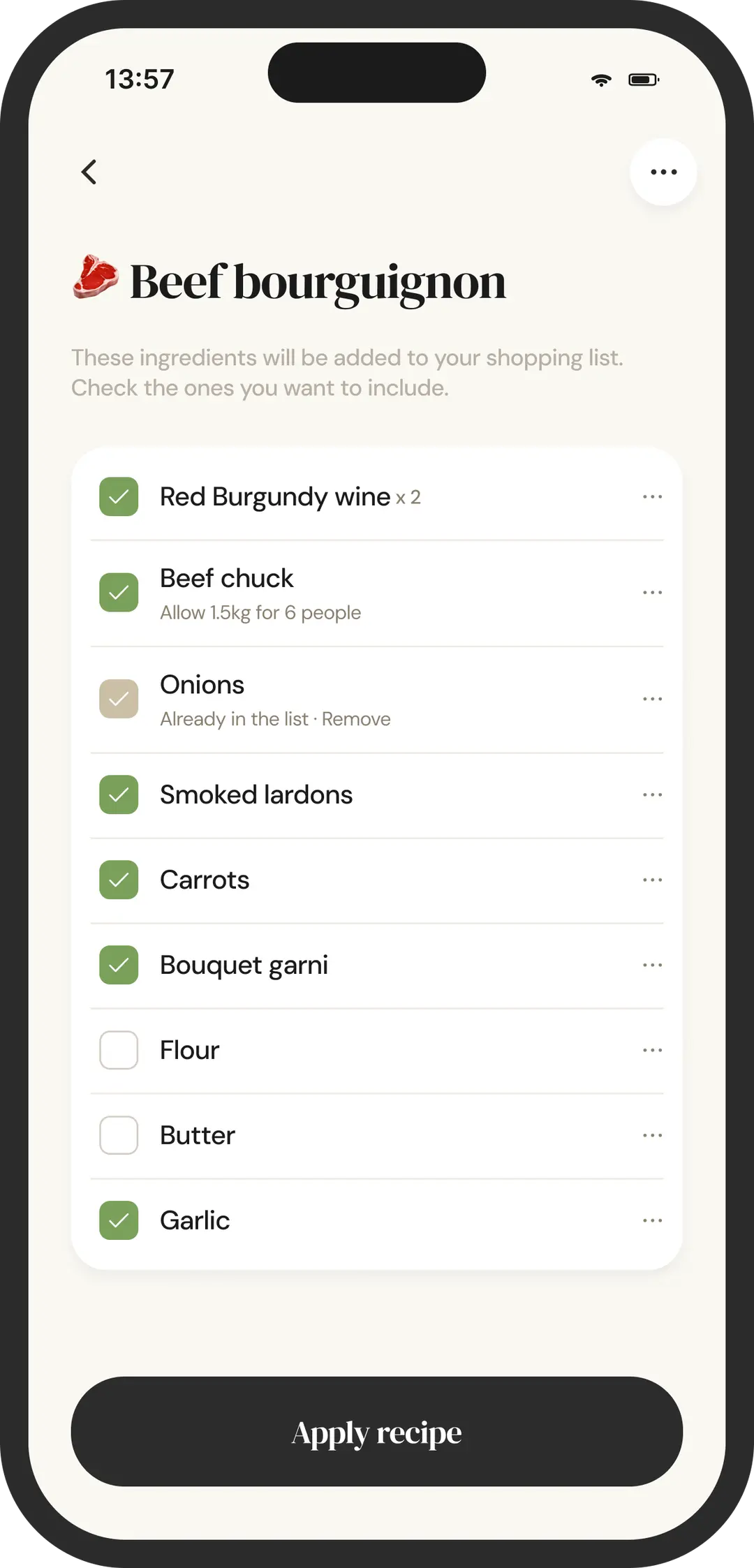
Pick the dish, uncheck what you already have and everything goes on the list.
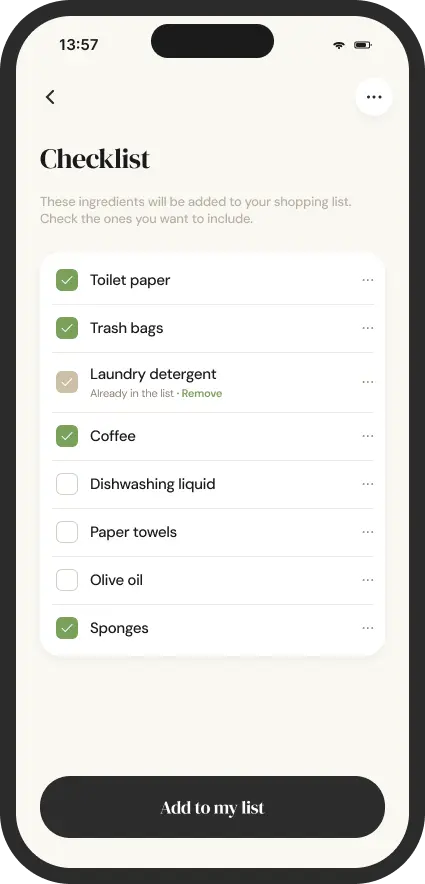
Checklist
Toilet paper, laundry detergent, batteries, trash bags… The things you don’t buy every week but need to check every time. One checklist per list: check what’s missing and it’s added.
Shopping completed
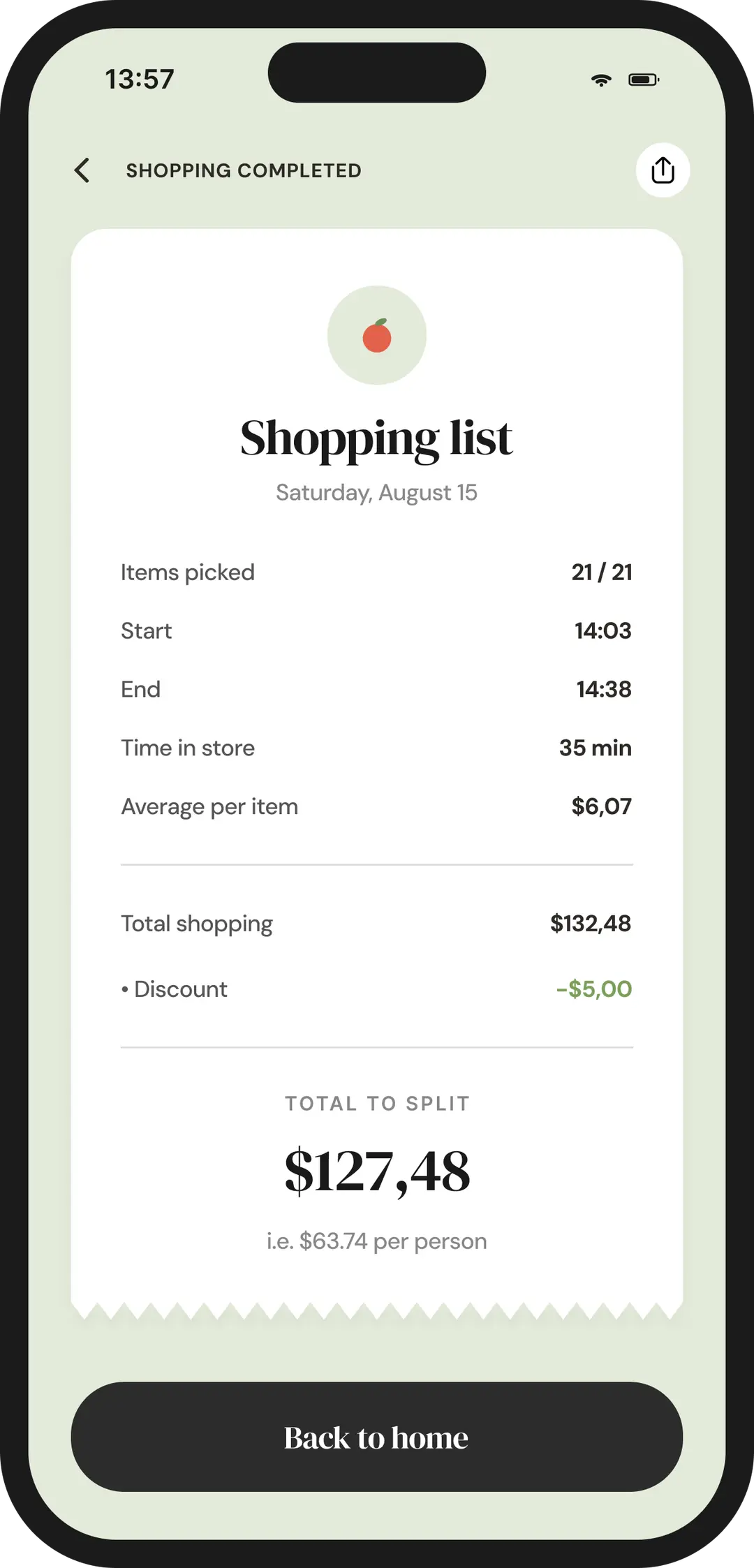
Listeno works out everyone’s share, automatically.
Total to split
€127.48
That’s €63.74 per person
AI import
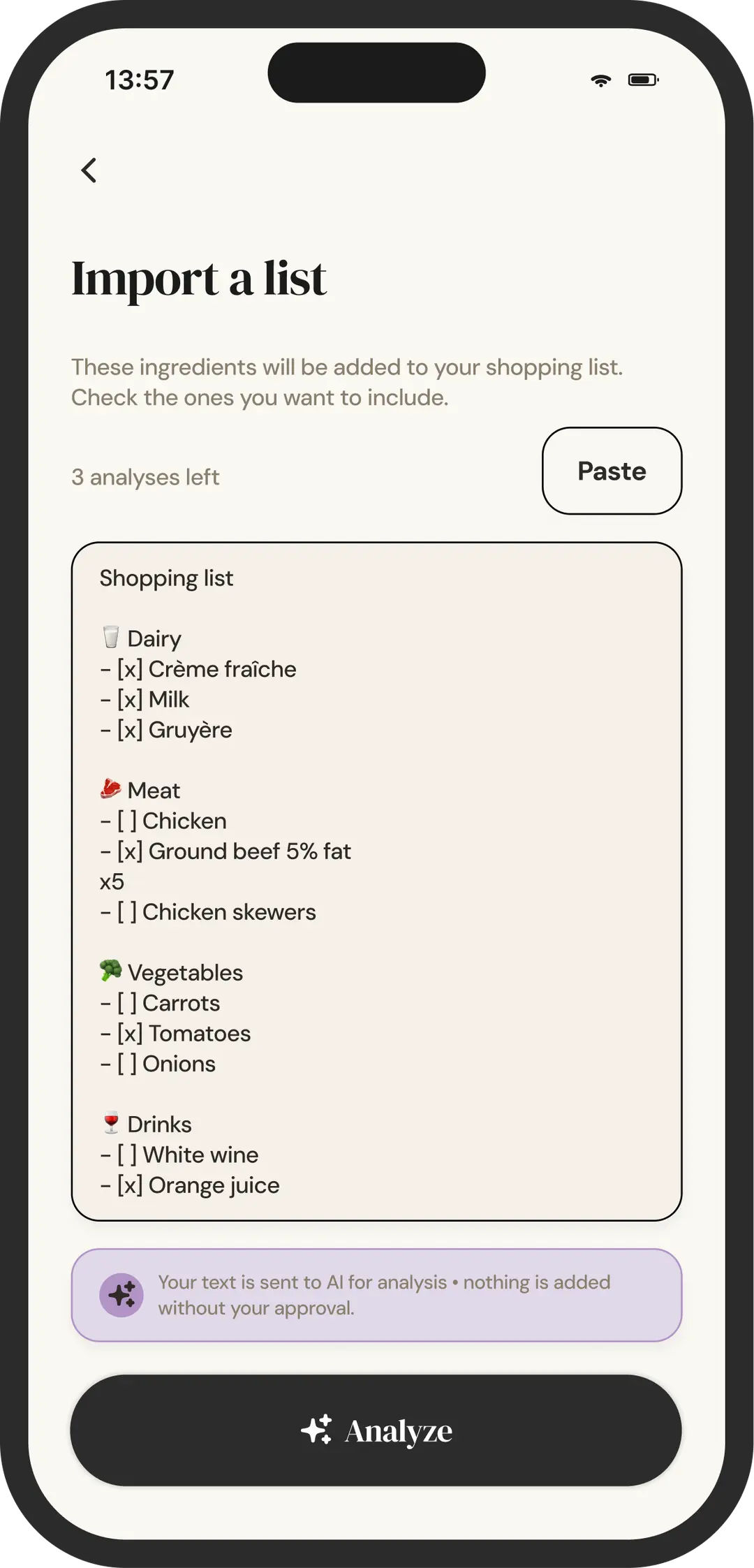
Your Apple Notes or Google Keep list comes with you. Copy it, paste it into Listeno: the AI sorts it into items and aisles, all that’s left is to confirm.
The first reviews left by Listeno users, shown in their original French.
Simple et vraiment pratique !
Franchement très pratique au quotidien ! Simple à utiliser, la liste se partage facilement et le classement par rayons fait gagner pas mal de temps en magasin. Adoptée à la maison 👍
Application au top
Super application, la prise en main est intuitive et rapide. Le partage d'une liste est très simple et permet d'éviter les oublis au maximum. Beaucoup de temps gagné grâce à cette application. Merci au développeur d'avoir résolu un problème du quotidien.
Super app
Application ergonomique, rapide, le partage de liste est simple, les rubriques lisibles, la fonction photo est intéressante en cas de doute sur le produit à acheter.
Pricing, sharing, accounts, importing your old list with AI: answers to the questions we’re asked most often.
Another question? Write to us
Listeno is a free download on iPhone and Android. The free version includes the shopping list sorted by aisle, shopping mode, recipes, the checklist and the end-of-shopping recap.
The optional Listeno+ subscription (monthly, yearly or lifetime purchase) lifts the limits of the free version: create more lists, invite people to your lists and add photos to items. A free trial may be offered before any payment.
With AI import: the AI built into Listeno brings over the list you kept elsewhere. Copy it in the app you were using, such as Apple Notes or Google Keep (Share button, then Copy), then paste it into Listeno. If your Listeno list is empty, tap the Import my list button shown on screen. Otherwise, open the ⋯ menu at the top right, then Manage items → Import a list.
Then tap Analyze: the AI turns your text into items, sorted by aisle. In the preview, uncheck any items you don’t want to add before confirming: nothing is added to your list without your approval.
Open your list in the app, tap Invite and send the invitation link by message. The person who opens it installs Listeno if needed, then joins the list.
Inviting people is included in Listeno+: only the list owner needs to subscribe. The people you invite enjoy the shared list without paying anything.
Yes. The list syncs in real time: when someone adds or checks off an item, everyone sees it instantly on their phone. During a shopping trip, everyone follows the progress live.
No. You can get started without creating an account: a guest account is created automatically, with no personal information required. You can later turn it into an account with an email address, Google or Apple, without losing your lists.
Yes, Listeno is available on the App Store for iPhone and on Google Play for Android. A shared list works across both: one person on iPhone and another on Android see exactly the same list.
Every item belongs to an aisle (produce, dairy, pantry, household…) and the list is displayed grouped by aisle, in the order you choose. That way you follow your path through the store without doubling back. You can create your own aisles and reorder them.
Yes. Save your recipes in the list, then apply one: uncheck the ingredients you already have, and the others are added to your shopping list. Ingredients already on the list are flagged to avoid duplicates.
The checklist gathers the things you don’t buy every week but need to check regularly: toilet paper, laundry detergent, trash bags, coffee… Before shopping, check what’s missing and it’s added to the list.
When you finish shopping, enter the amount paid at checkout. Listeno shows the recap of your shopping trip and works out everyone’s share automatically.
Your lists are hosted in the European Union, and only the members of a list can access it. The details of the data collected and how it is used are in the privacy policy.
You can delete your account at any time from the Privacy section of the app’s settings. The steps and what gets deleted are described on the account deletion page.
The publisher’s details are in the legal notice. You can also write to contact@numeraven.com.